The challenge
One website, three very different audiences.
A community depends on people finding the right information at the right time. Newcomers, regular players, and staff each arrive with different questions, and the website needs to answer all of them without getting in anyone’s way.
Prospective players
People discovering the community need to quickly understand what it is, what makes it different, and exactly how to join.
Existing members
Current players need guides, rules, troubleshooting help, and event information they can find on their own, without asking in chat.
Staff
The staff team needs internal documentation and procedures that are easy to reach for them and kept out of public view.
The solution
A public website with practical tools built in.
Instead of separate tools for each audience, I built one website where every visitor has a clear path to what they need.
Public website and onboarding
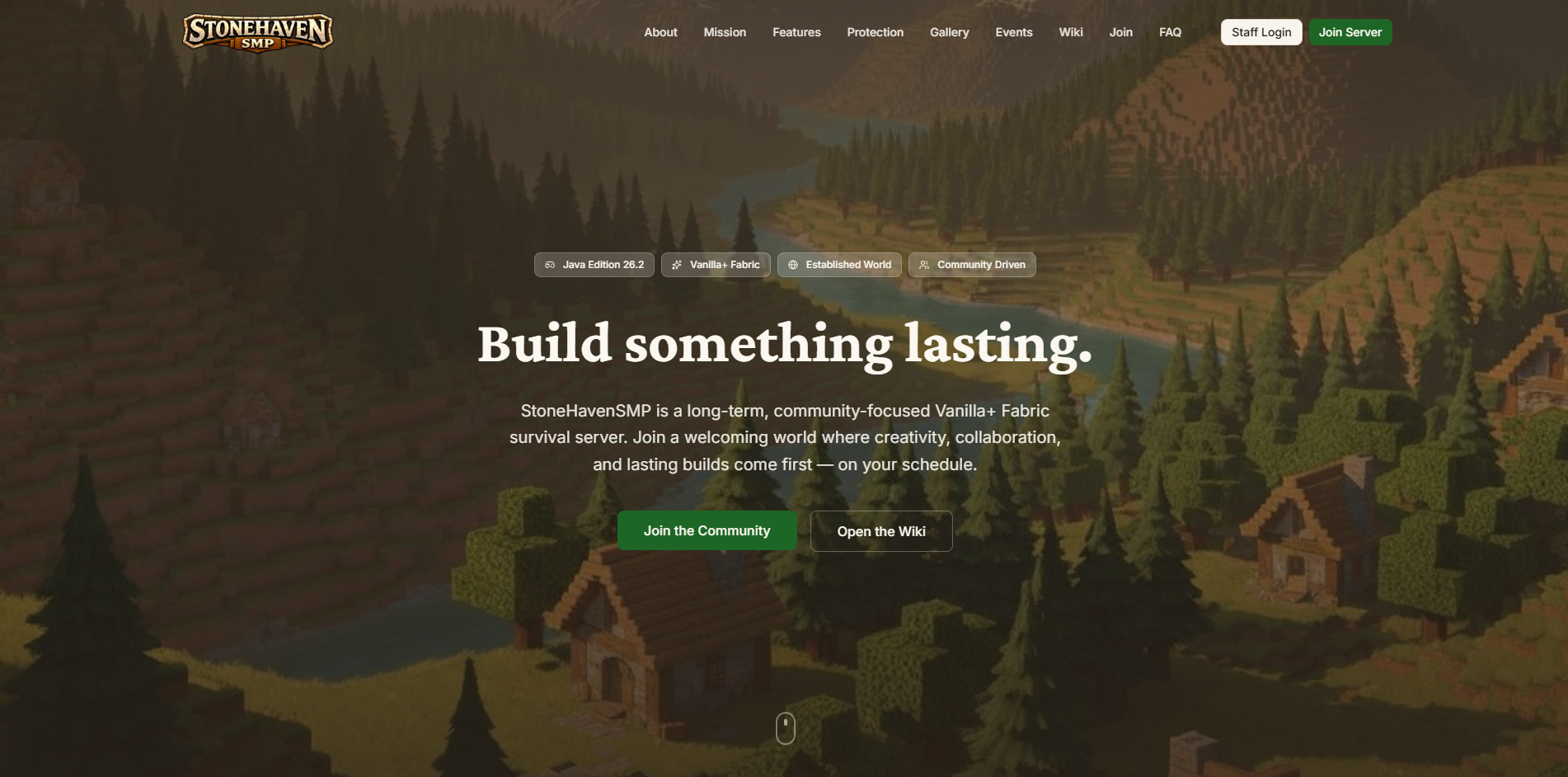
A welcoming front door that explains the community and guides newcomers toward joining.
- Community introduction, mission, features, imagery, and FAQs
- Guidance on how to join the community
- Responsive layouts with clear paths to relevant information
Searchable knowledge base
A help center where players can look up answers instead of waiting for someone to reply.
- Guides for installation, rules, gameplay, troubleshooting, and community information
- Search, breadcrumbs, tables of contents, related articles, and previous/next navigation
- MDX content with reusable components, maintained in the repository
Interactive directories
Mod listings players can narrow down to exactly what applies to them.
- Searchable mod listings
- Filters for category and client or server use
- Clear separation of required and optional mods
Community events
Upcoming events shown on the website automatically, without manual copying.
- Calendar and agenda views, event details, and upcoming events
- Event times shown in Central Time
- Clear loading, empty, unavailable, and stale-data states
Private staff portal
Internal documentation that only current staff members can open.
- Sign in with Discord
- Server-side checks for community membership and the staff role
- Protected staff documentation and staff-only attachments
Image galleries
A place to show off the community’s builds and moments.
- Responsive image grids
- Enlarged image views
- Keyboard navigation between images
Technical highlights
The engineering behind the experience.
Three parts of the project that go beyond a standard website, and why they matter to the people using it.
Connecting an external calendar to custom event pages
Staff keep scheduling events with the tools they already use, and the website stays current on its own. Nobody has to copy event details by hand.
- 01
Sesh
Community events are created in Discord with Sesh, which syncs them to Google Calendar.
- 02
Google Calendar
The calendar is the source of event information the website reads from.
- 03
Website API
A server-side route reads the calendar and caches the results for five minutes.
- 04
Event interface
Visitors see calendar and agenda views that refresh automatically.
The website only reads from Google Calendar. It does not manage Sesh events, attendance, or RSVPs. Event data is fetched on the server, cached for five minutes, and refreshed automatically on the page. Times are displayed in Central Time with daylight saving handled correctly, and the interface has dedicated loading, empty, unavailable, and stale-data states. If a background refresh fails, previously loaded events stay on screen instead of disappearing.
Separating sign-in from staff access
Knowing who someone is and deciding what they can see are two different questions. Keeping them separate means access follows a person’s current role, not just the fact that they once signed in.
Discord OAuth, handled through Auth.js, confirms a visitor’s identity. Authorization is a separate, server-side step: the website checks that the person is a member of the community’s Discord server and holds the required staff role before showing any staff documentation or attachments.
Access is revalidated periodically, so when someone’s role changes, their access to the staff portal follows. The portal is limited to documentation and procedures; it does not administer the Minecraft server itself.
One documentation system for public and restricted content
Player guides and staff procedures share the same structure and navigation, so new articles are quick to add and every page feels consistent.
Documentation is written in MDX, a format that combines Markdown with reusable interface components. The same system powers search, breadcrumbs, tables of contents, related articles, and previous/next links for both the public knowledge base and the private staff area, with access rules applied on top.
Content is file-based and maintained in the project repository, so every change is versioned alongside the code. The repository also includes an automated test suite written with Vitest.
Technology
Built with
- Application
- Next.js 16, React 19, TypeScript
- Interface
- Tailwind CSS, Radix UI/shadcn-style components, Framer Motion
- Content
- MDX
- Authentication
- Auth.js and Discord OAuth
- Integration
- Google Calendar API
- Testing
- Vitest
- Deployment workflow
- GitHub and Vercel
What this demonstrates
The same skills, applied to your project.
StoneHavenSMP is a community project, but the pieces behind it are common needs for businesses and organizations too. This is the kind of work I can build for you.