The challenge
Giving development work its own space.
Development work is easier to judge when visitors can see how it is presented and, where possible, try it for themselves. The site needed to organize several kinds of work while remaining distinct from my professional website.
A presentation suited to developers
Development work speaks to a different audience than a professional background, and it needed a visual identity and structure built for that audience.
Interactive work beside written descriptions
Some work is easier to understand by trying it. The site needed room for browser-based demonstrations alongside the written explanations of projects.
Several kinds of work in one place
Projects, website case studies, writing, and experiments each needed their own home and a clear way for visitors to move between them.
Two distinct sites, one workflow
The development site needed its own identity while staying coordinated with gageolson.com in the same repository and development workflow.
The approach
A developer portfolio with interactive pieces built in.
I organized the site around a developer-focused homepage, keyboard-friendly navigation, a playground of browser-based demonstrations, and dedicated areas for projects, website case studies, and writing.
Developer-focused presentation
A visual identity that reads as a developer’s portfolio from the first screen.
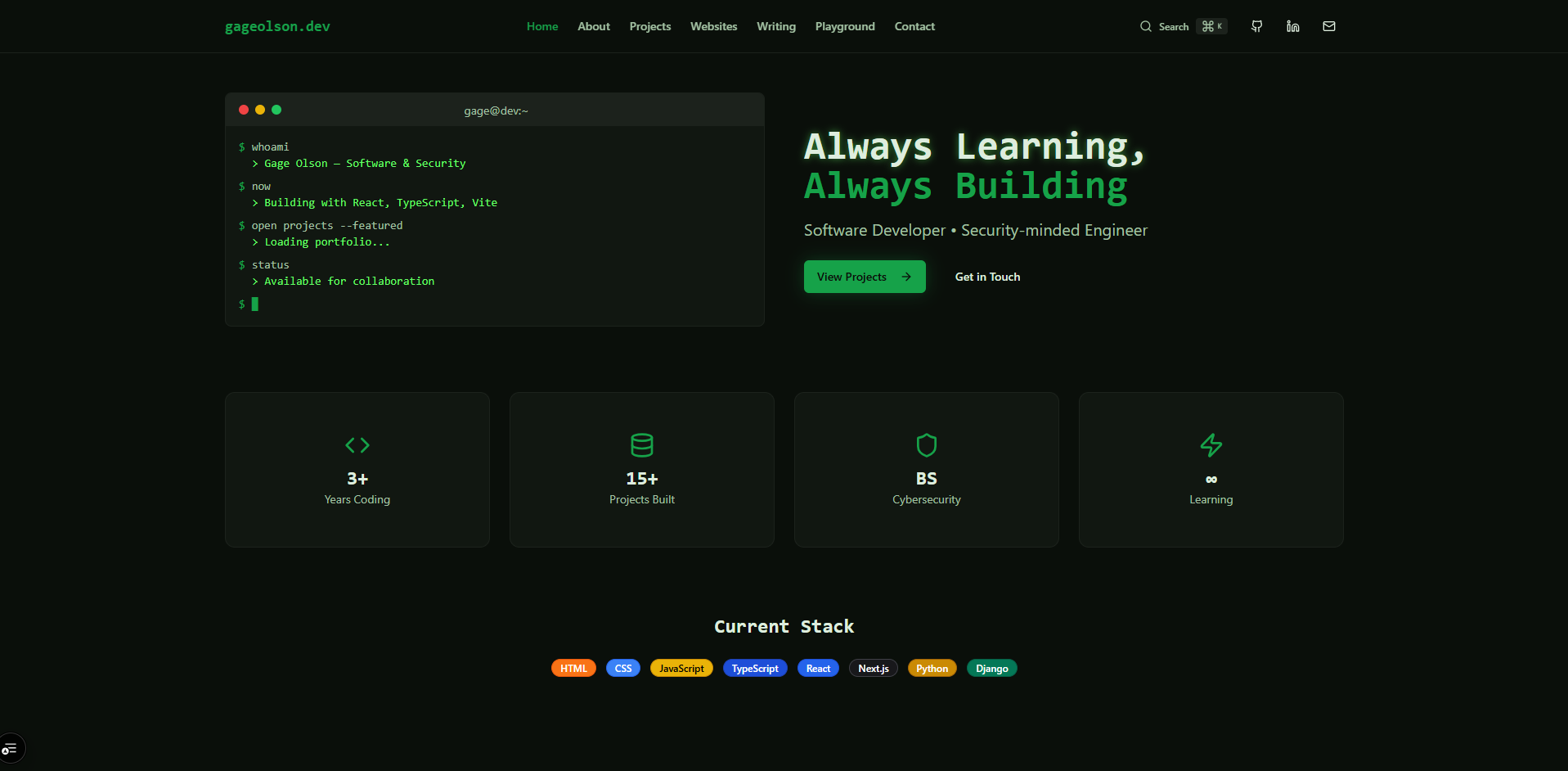
- A terminal-inspired homepage with animated command and output text, as a visual presentation component rather than a working shell
- Developer-oriented typography, reusable cards, and technology badges
- Dedicated About, Projects, Websites, Writing, Playground, and Contact routes
- Responsive navigation and layouts
- A contact form that prepares a message in the visitor’s own email client
Keyboard navigation
A quick way to move around the site without reaching for the mouse.
- A command palette opened with Ctrl+K or Cmd+K
- Searchable navigation commands
- Shortcuts to configured project and demo entries and external profiles
Interactive playground
Small browser-based demonstrations visitors can use directly.
- A bubble-sort visualizer with adjustable array size and animation speed
- A regular-expression tester with editable patterns, flags, and test text, plus match details and error feedback
- A color-palette generator with adjustable color count, saturation, and lightness, and controls for copying colors
Project and website presentation
Listing and detail views that keep projects and website work organized.
- Project listing and detail interfaces
- Filtering components with technology and category labels
- A website case-study collection queried through TinaCMS
- Structured website fields for description, role, technology stack, images, tags, and destination links
Writing interfaces
Layouts ready for articles about development work.
- Article listing and detail layouts
- Markdown and code presentation components
Some project entries and articles on the site are sample content used to demonstrate the layouts, including projects such as a network monitor, an API gateway, and an analytics dashboard. Those applications are not implemented in this repository, and this case study describes the interfaces that present them.
Technical highlights
The details behind the presentation.
Two parts of the project that shape how visitors experience the site and how its content is managed.
A terminal look with practical navigation
The homepage sets a developer tone, and the command palette gives keyboard users a fast way to get around.
The terminal on the homepage is a presentation component: animated command and output text that introduces the site. It does not run commands.
The command palette, built with cmdk, opens with Ctrl+K or Cmd+K. It searches a set of navigation commands, configured project and demo shortcuts, and external profiles. It is navigation search, not a full-text search of every page on the site.
Structured website case studies with TinaCMS
Website case studies follow a consistent structure, so each entry presents the same kinds of information.
The website case-study collection is queried through TinaCMS, with fields for descriptions, role, technology stack, images, tags, and destination links.
TinaCMS schemas also exist for other content, but the project and writing pages currently load sample, hardcoded content. Those areas are built and ready for real entries rather than fully CMS-driven.
Outcome
A development-focused portfolio that complements my professional website while sharing a common repository and workflow.
Dual Portfolio Project
Two sides of one professional identity
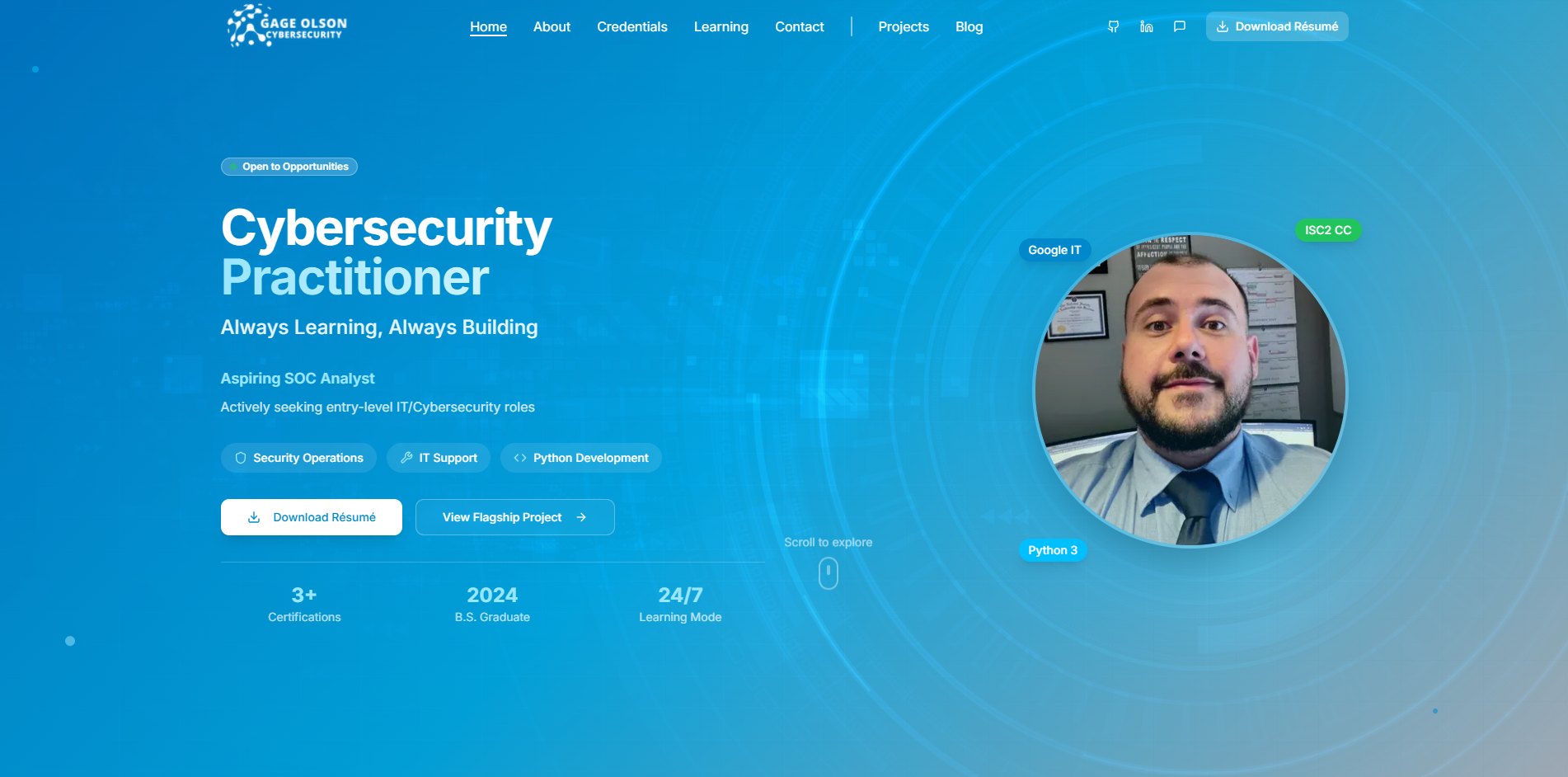
gageolson.com and gageolson.dev are separate websites within one portfolio project. The professional site presents my cybersecurity and IT background; the development site highlights software, websites, and interactive work. A shared repository and development workflow keep the two sites organized while allowing each to serve its own audience.
gageolson.com
Companion siteProfessional background, cybersecurity, IT, and technical learning.
gageolson.dev
This case studyDevelopment work, website projects, and interactive experiments.
One monorepo
Two websites maintained in one code repository.
- sites/cyber-site
- The professional Next.js application behind gageolson.com.
- sites/dev-site
- The development Next.js application behind gageolson.dev.
- pnpm workspaces
- Organize the two applications within the repository.
- Turborepo
- Coordinates development and build tasks across both applications.
- Root scripts
- Individual build and dev commands for each app.
The sharing is limited to repository organization and tooling. Each site has its own component tree and its own TinaCMS configuration, and the two do not share a UI package, database, sign-in, or content.
Technology
Built with
- Application
- Next.js 15 App Router, React 19, TypeScript
- Interface
- Tailwind CSS 3, Radix UI/shadcn-style components, cmdk
- Content
- TinaCMS, Markdown / MDX content structures
- Repository
- pnpm workspaces, Turborepo
- Source control
- GitHub
What this demonstrates
The same skills, applied to your project.
gageolson.dev is my own portfolio, but the pieces behind it apply to many websites and web applications. This is the kind of work I can build for you.